Lately there has been a lot of curiosity around how small creative tools can be built for students and families. Instead of waiting for the perfect idea, the approach has been simple: learn by experimenting.
While exploring different platforms that allow people to build lightweight apps, the discovery of Google’s Opal Mini App environment opened an interesting door. It allows creators to build small interactive tools quickly without needing a full software development process.
The goal was not to build something complicated. The goal was to learn how these systems work and see if they could support creativity in a fun way.
That exploration led to the first small experiment.
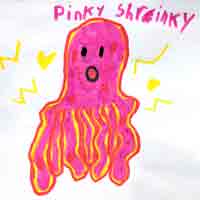
From sketch to animated imagination.
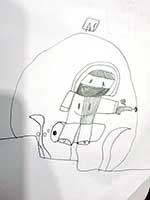
From sketch to animated imagination.
Starting With My Kids’ Drawings
Like many kids, my children draw constantly. Monsters, animals, strange characters, robots, and worlds that only exist in their imagination.
While learning the Opal system, a simple idea came up:
What if their drawings could turn into a short cartoon scene?
Not a long movie. Just a quick animated moment where the drawing appears inside a colorful environment.
Their drawings became the test material while learning how to build the mini app. It turned out to be a perfect way to experiment because kids are always excited to see what happens to their creations.
The first results were surprisingly fun. Watching their drawings appear inside a short animated scene made them laugh, ask questions, and immediately start drawing new ideas.
That moment was when the experiment started to feel worthwhile.
How the Mini App Works
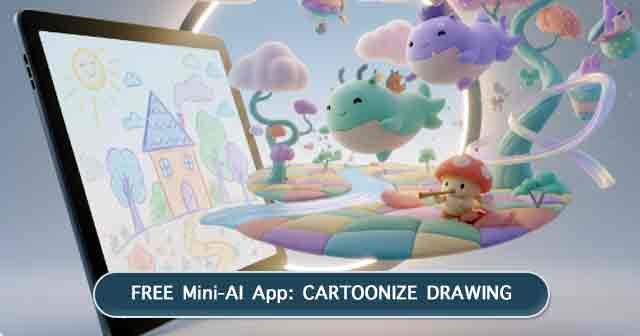
The mini app that came out of this experiment is called Cartoonize Drawing, and it is intentionally simple so that students and families can try it easily.
First, a drawing is uploaded. It can be a sketch on paper, a doodle, or any small artwork a student created.
Next, the user writes a short description of the environment they imagine around their drawing. For example:
A magical glowing forest
An underwater coral world
A sky kingdom with floating islands
A peaceful mountain village
The mini app then generates a short animated cartoon clip inspired by both the drawing and the environment description.
The result is a quick pastel-style cartoon scene that brings the drawing into a new imaginative setting.
What Happened After the First Test
The most interesting part was not the animation itself.
What happened next was more important.
The kids immediately started asking:
“What if I draw a dragon?”
“What if the character is underwater?”
“What if the world is in space?”
Without realizing it, they started thinking more about environments, storytelling, and how characters might move or live inside a scene.
They wanted to draw more.
Any tool that encourages kids to draw more is worth exploring.
Why Share It on Creative Add-On
Creative Add-On has always been a place for sharing ideas about creativity, learning, and experimentation.
This mini app is simply one of the first small tools created while learning how these new platforms work. It started as a personal experiment at home, but it felt like something other students and families might enjoy trying as well.
So it is now being shared with the Creative Add-On community.
Students can experiment with their drawings. Parents can try it with their kids. Young artists can explore how imagination changes when drawings move into a story-like environment.
It is not meant to replace drawing or traditional art learning. Those foundations will always matter most.
But sometimes a small creative tool can spark new ideas.
Continuing the Experiment
This mini app is only the beginning of learning how small creative apps can support imagination.
There are many other ideas worth exploring in the future:
Turning drawings into short story scenes
Creating small creativity tools for art classrooms
Helping students visualize ideas before building larger artworks
Building playful creative apps that encourage experimentation
For now, this Cartoonize Drawing tool is simply a fun first step.
A small learning project that started with my kids’ drawings and turned into something worth sharing.